
Adding and removing bookers in a partnership is done through the partner portal available at partner.sweetspot.io
Adding bookers to a partnership:
1. Log in to partner.sweetspot.io
2. Select the partnership where the booker should be added.
3. Choose "Bookers" from the menu.
4. Press "Create Booker."
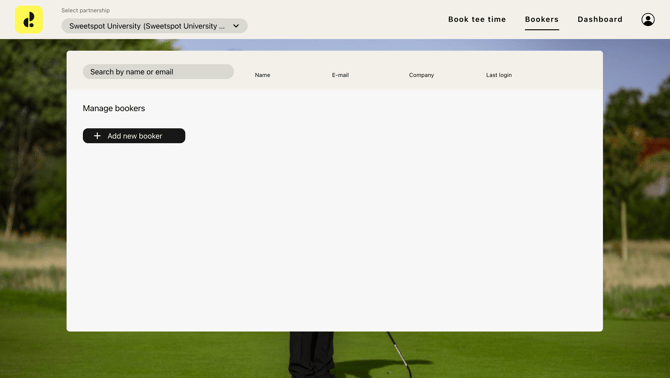
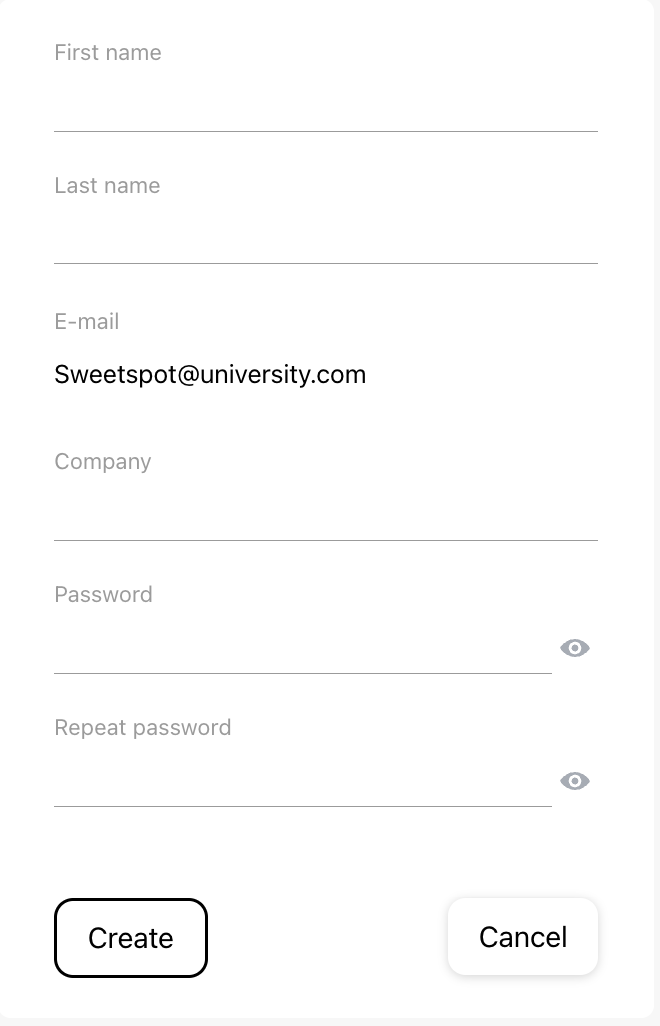
| 5. Fill in the email for the booker. Emails belonging to club admins cannot be added as bookers. If there is already a partner admin with this email, they will be automatically added. If there is no user registered with this email, a window will appear to create a new user. 6. Fill in First Name and Last Name. 7. Fill in Company. This field is used to more easily identify a user from which company they come from. 8. Fill in Password. |
|
Bookers in the partnership:
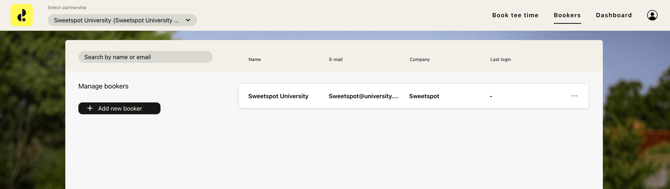
When a booker is added to a partnership, you can see them in the list on the Bookers page. This user is then a booker in the selected Partnership. You can also add a booker to multiple partnerships by selecting another partnership and adding the user as a booker there too.
Removing bookers from a partnership:
1. Click on the three dots to the right of the name.
2. Then click on "Remove booker."
The user is now removed as a booker from the partnership and no longer has access to the partnership. However, the partner admin account is not removed.