
Prerequisites
-
You need to create a PASS with Duration type PERIOD.
- If you are uploading many players, make sure that the pass value limit is higher or the same value as the player with the highest value in the upload.
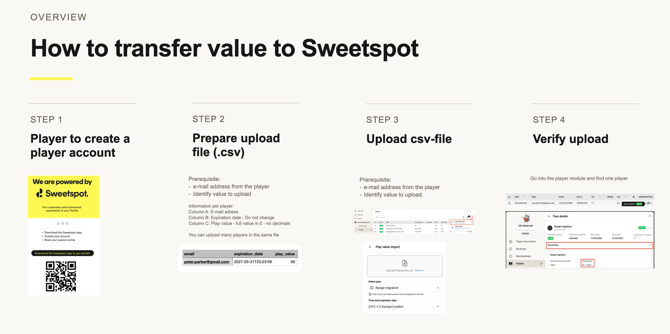
1. Prepare the CSV-file according to template.
It is extremely important that the file is in TEXT. Observe the MS Excel and Google Sheet as a default of being in NUMBER format. Change it to PLAIN TEXT before adding information to it according to the template below.

| Column | Column name | Format |
| A | text - no spaces | |
| B | expiration_date |
2029-01-01T23:23:59 - observe - the T between the date and the time. This must be here. |
| C | play_value | number defining how much value to be imported. You can't use decimals in this field, so round the value to the nearest integer. |
2. Upload in club portal
3. Player information
Players that are included in the CSV-file will receive the uploaded pass directly (if it is a long list, it can take up to 15 minutes to be visible in the player module.
Players that are included in the CSV-file but do not have a Sweetspot account created yet, will receive the pass automatically when the player creates the Sweetspot account.